Orchestrator
The chat surface of Ivy Tendril, where a task becomes a plan and a coding agent runs it.
- Role
- Founding Design Engineer
- Company
- Ivy Interactive
- Year
- 2025 to 2026
- Stack
- C# / .NET 10, Ivy Framework, React 19, TypeScript, Tailwind CSS, Vite
Ivy Tendril is a desktop app that turns a task into a plan, runs a coding agent on it in an isolated git worktree, and opens a pull request after review. I designed and built the chat surface: the empty state, the composer, the agent picker, structured questions, events, the message queue, and the plan side panel.
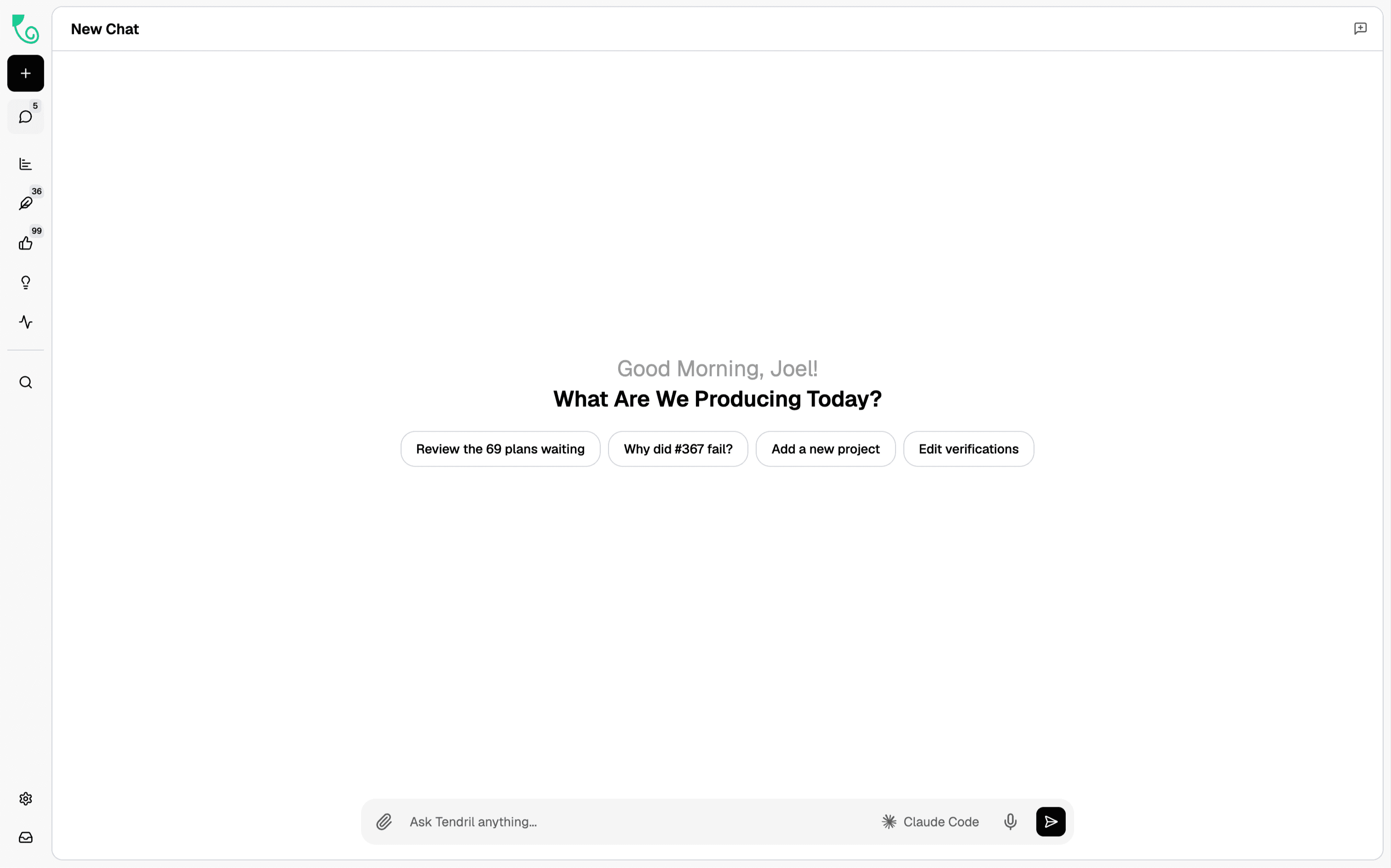
Suggested actions on the empty page
Discovery. New users opened Tendril, saw an empty chat, and asked in Discord what they were supposed to type.
Problem. An empty text field gives no idea of what the product can do, so the first minutes were spent guessing.
Solution. The empty state shows the four most useful next actions as buttons: review the waiting plans, ask why a job failed, add a project, edit verifications. Clicking one sends a ready-made prompt.
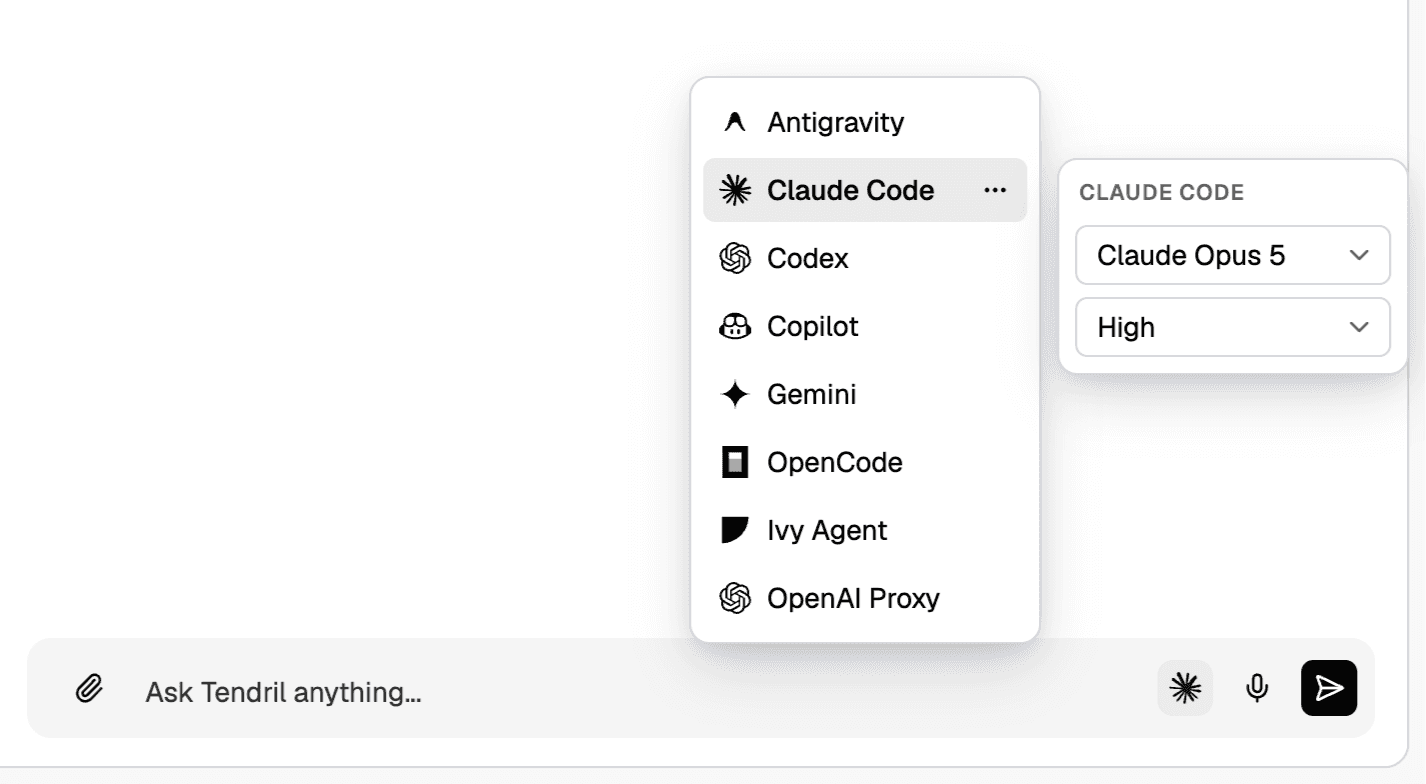
Agent picker
Discovery. A customer used Claude Code for planning and Codex for execution. Switching meant editing the config file and restarting the app.
Problem. The agent was a global setting, so changing it mid-conversation was slow and easy to get wrong.
Solution. The picker lives in the composer. The left column lists the agents (Antigravity, Claude Code, Codex, Copilot, Gemini, OpenCode, Ivy Agent, OpenAI Proxy), the right column sets the model and effort for the selected one. The badge next to the send button shows which agent will answer.
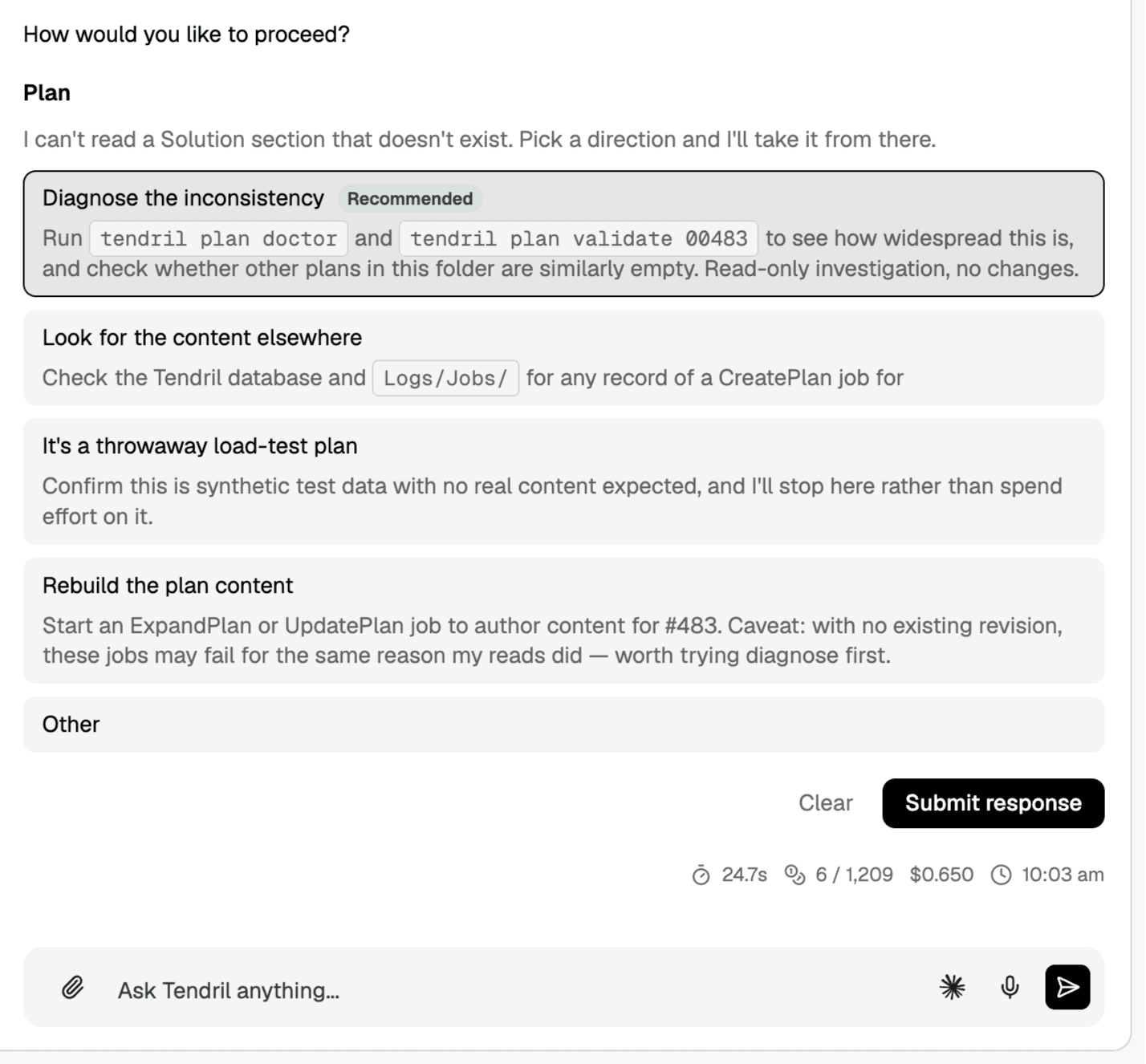
Structured questions
Discovery. Session logs showed agents asking long open questions. Users answered with one word or stopped responding.
Problem. A question buried in prose is easy to miss and hard to answer precisely, which stalls the job.
Solution. When an agent needs a decision, the question renders as a form. Each option has a title, a one-line reason, and a recommended default, plus an Other field. A footer shows the time, tokens, and cost of the turn.
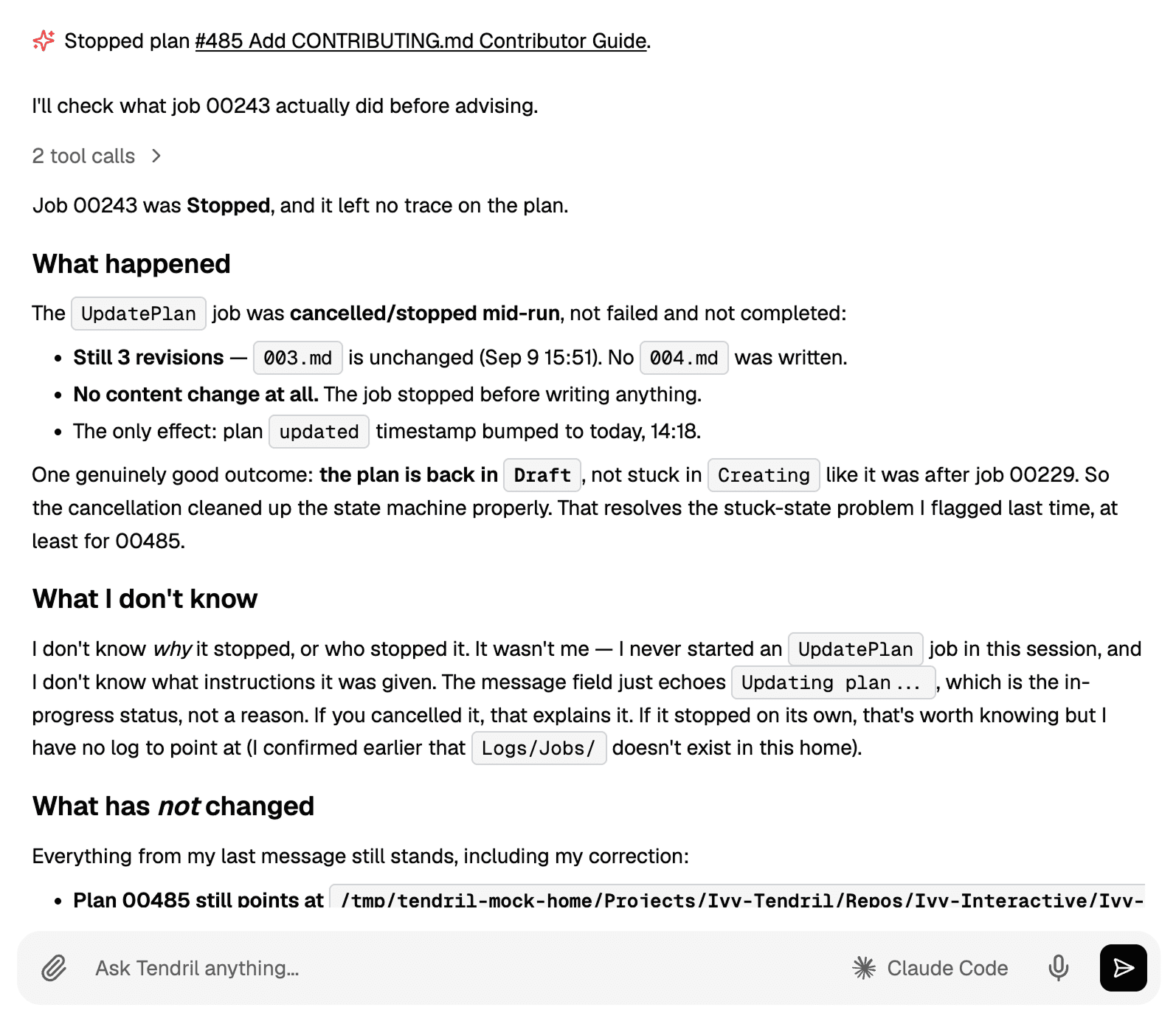
Events in the chat
Discovery. Users missed that a plan had been stopped because the notice appeared in a separate tray and disappeared after a few seconds.
Problem. State changes happened outside the conversation, so the chat and the real status drifted apart.
Solution. Events such as a stopped plan appear inline in the transcript with an icon, followed by the agent's explanation. Tool calls fold into one line that can be expanded.
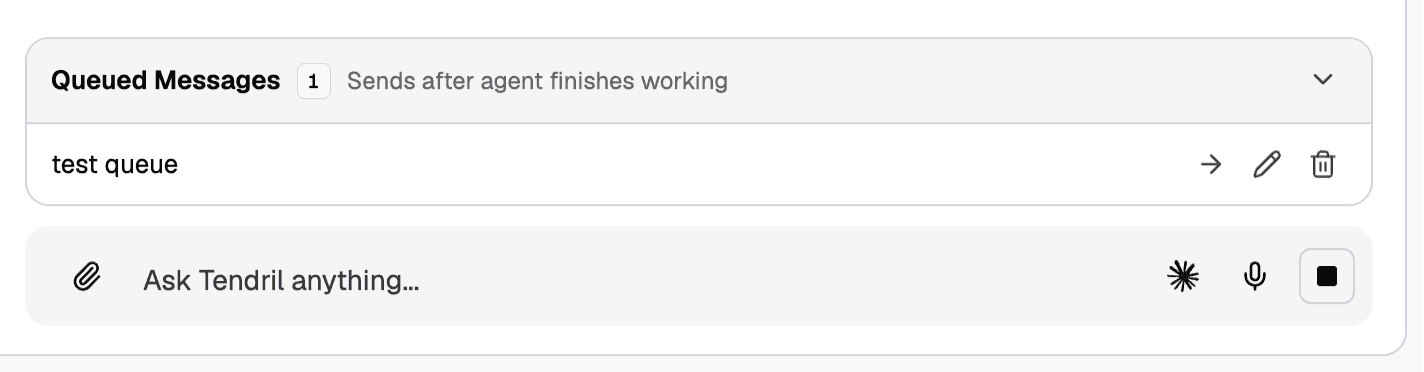
Message queue
Discovery. People typed follow-ups while the agent was working. The message was either lost or interrupted the run.
Problem. The composer had no defined behavior during a run.
Solution. Messages sent during a run are queued and listed above the composer, each with send now, edit, and delete. The send button becomes a stop button until the run ends.
Plan side panel
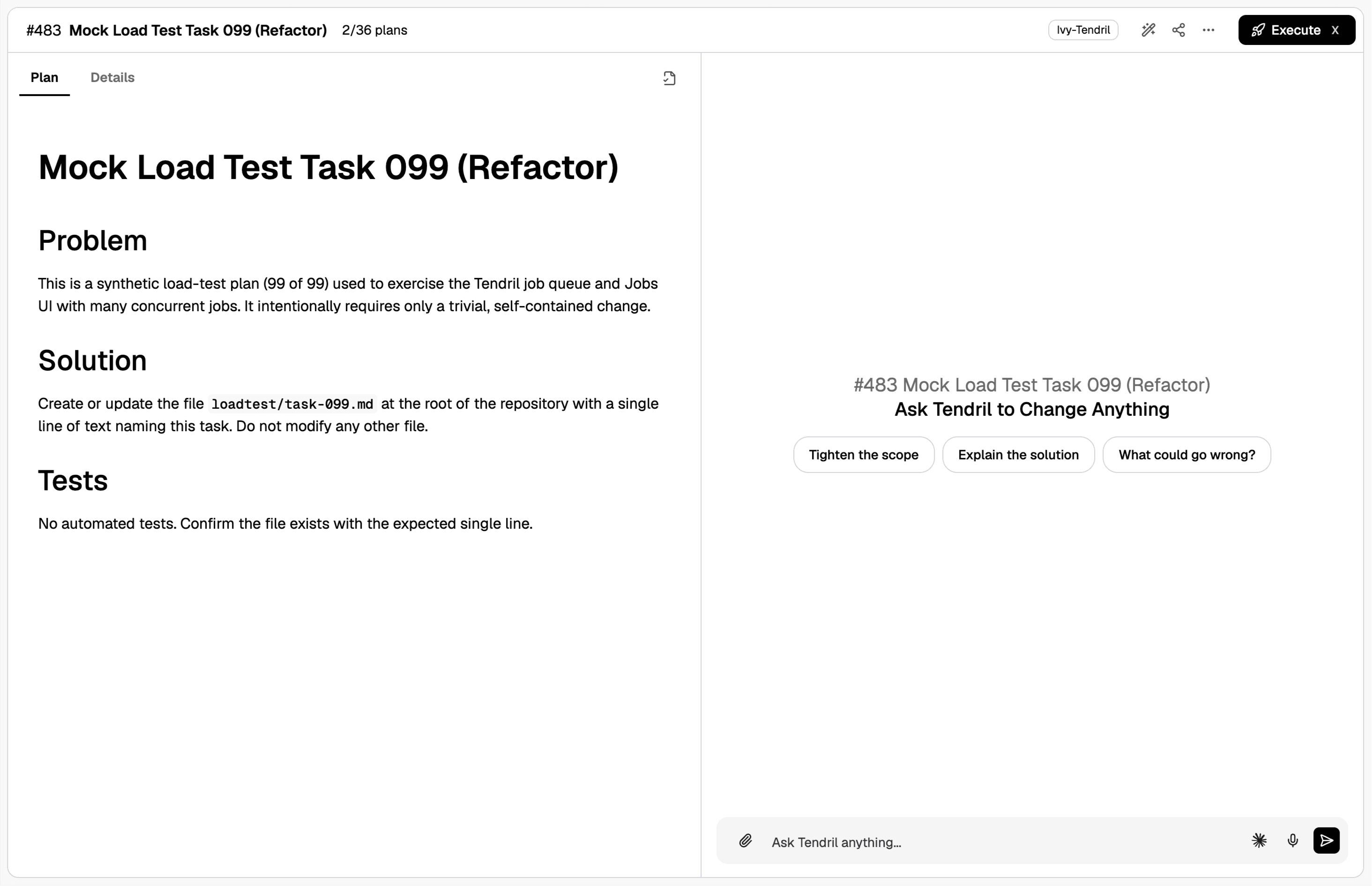
Discovery. To change a plan, users copied text from the plan page into the chat and pasted the answer back.
Problem. The plan and the conversation about it lived on different screens.
Solution. Opening a plan splits the view: the document on the left with Plan and Details tabs, the chat on the right with prompts such as tighten the scope, explain the solution, and what could go wrong. Execute is in the header.
Result
Chat is the entry point, and structure takes over where a decision, an event, or a document needs it. The components are built with Ivy Framework widgets in C# with React underneath, and the same primitives are now used across the app.